The Follow-Up System That Runs Itself: Jer Holum's Session on AI Lead Follow-Up
AI lead follow-up that runs itself: a new lead triggers research, a drafted next touch, human approval and a CRM update. Here is how to build yours.
In this article
- What Jer Holum's session covered
- A template or an agent? Level 2 versus Level 3
- How AI lead follow-up works: trigger, research, draft, approve
- Where people stay in the loop
- The failure clinic: six ways follow-up automation goes wrong
- Build the scorecard before you switch it on
- How to start with one lead source
- Frequently asked questions
- Build your follow-up loop with a coach
AI lead follow-up is a system where a new lead starts the work on its own: AI researches the lead from information you have approved, drafts the right next touch, pauses for a person to approve it, then records what happened in your CRM and sets the next task. The AI does the gathering and the drafting. A person still decides what goes out under your name. Built that way, a lead no longer depends on someone remembering it, so it does not sit in an inbox for three days while everyone assumes someone else has it.
That loop was the subject of Jer Holum's session at the AI Business Retreat 2026 in Spooner, Wisconsin. Below is what the session covered and how to build the same follow-up system around one lead source in your own business.
What Jer Holum's session covered#
The retreat was held September 15, 2026 at The Island in Spooner, with three tracks: Leadership, Sales and Marketing, and Builder. Never Let Another Lead Go Cold: The Follow-Up System That Runs Itself was a 90-minute workshop on the Sales and Marketing Track, scheduled for 1:00 to 2:30 PM. It was written for sales leaders, office managers and owners who know revenue is dying in the inbox.
It was taught by Jer Holum, an AI coach and systems builder at Coulee Tech and the founder of Web Devy, a La Crosse web design company. The session page starts from a blunt idea: a lead that waits three days does not wait. It leaves. The session was built around five pieces:
- One buyer journey, so search, proposals, video, social posts and direct mail all feed the same follow-up.
- Templates versus agents: the same follow-up at two AI maturity levels.
- A revenue-loop design sprint: the trigger, the approved context, the allowed actions, the human gate and the owner.
- A failure clinic on stale CRM data, invented personalization, brand drift and over-contact.
- A scorecard: speed-to-lead, follow-up completion, replies and pipeline.
The session page lists its take-home as a follow-up system blueprint that gives every lead the right next touch. For the rest of the day's sessions, see our track-by-track recap of the AI Business Retreat 2026.
A template or an agent? Level 2 versus Level 3#
The session contrasted two ways to follow up, using levels from the AI Business Maturity Model. Level 2, "Prompted Operator," is template-driven prompting with human review. Level 3, "Agent Builder," is a tool-connected, repeatable agent workflow.
| Step | Level 2: saved template | Level 3: triggered agent |
|---|---|---|
| What starts it | A person remembers the lead | The lead arriving (a form, a CRM record, a stage change) |
| Where the context comes from | Whatever the person pastes in | Sources the agent is approved to read |
| Who drafts | AI, from a saved prompt | AI, as soon as the trigger fires |
| Who sends | The person | The person, after approving the draft |
| What gets recorded | Whatever the person remembers to log | The touch, the outcome and the next task, written back to the CRM |
Level 2 is worth doing first. If a saved prompt reliably produces a follow-up you would send with light edits, the drafting is solved. Level 3 fixes the part a template cannot: remembering.
How AI lead follow-up works: trigger, research, draft, approve#
1. Trigger#
Pick one event that means "someone is waiting on us." A quote request from your website, a new contact added to the CRM, or a proposal that has gone a set number of days without a reply. The trigger has to be something a system already records. If it only lives in a salesperson's head, it cannot start anything.
2. Research from approved context#
The agent gathers what the next touch needs: the lead's own message, their history in your CRM, the service they asked about, and company material you have cleared, such as service descriptions and pricing rules. "Approved" is the important word. The agent reads only the sources you listed, not whatever it finds on the open web.
3. Draft the next best touch#
The next touch might be an email reply, a call task with three talking points, or a note to send something by mail. The draft should use only facts found in step 2, plus a one-line note to the approver explaining why this touch and why now.
4. Approve, then write it back#
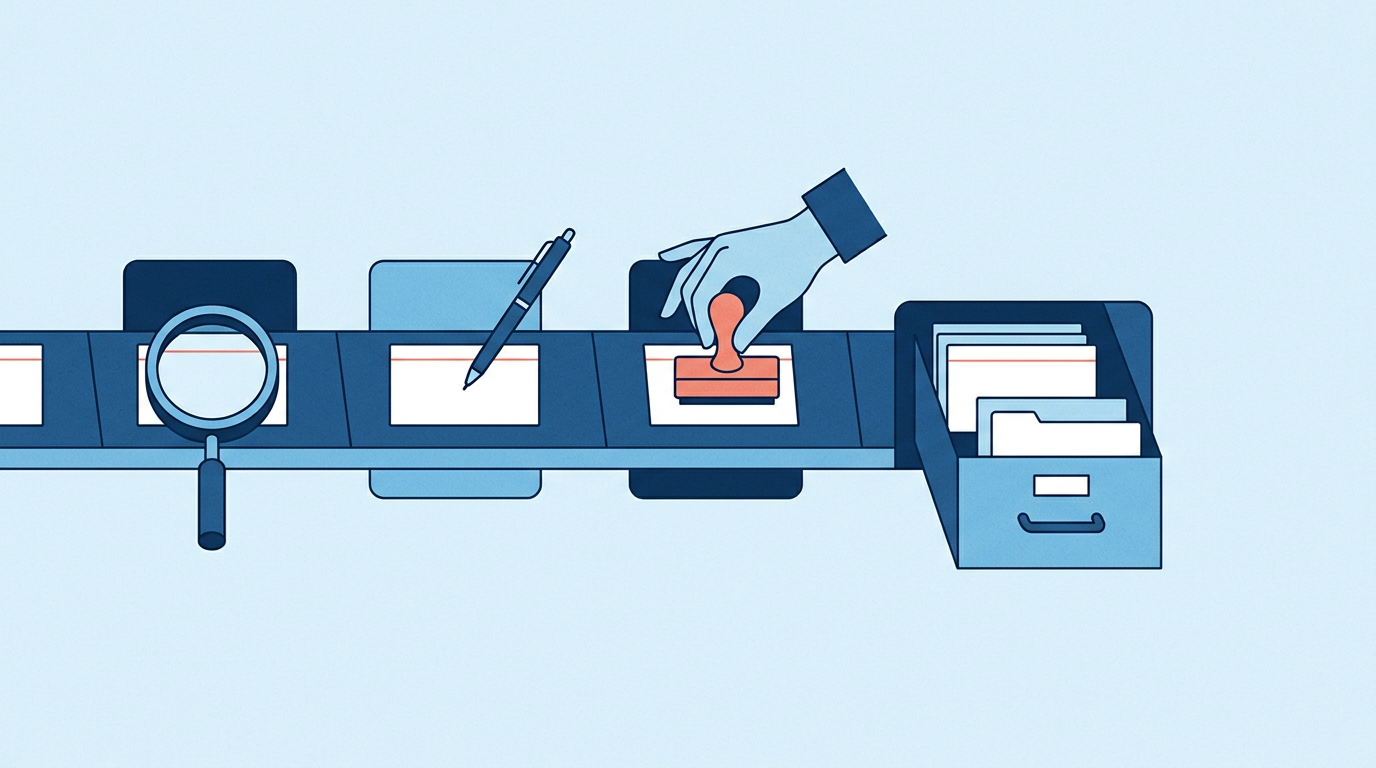
The draft lands in a queue. A named person reads it, edits it, and approves or rejects it. Once it goes out, the system logs the touch in the CRM, records the outcome and creates the next task with a due date. That write-back is what turns a single message into a follow-up system: the next trigger sees today's touch, so the lead is neither contacted twice nor forgotten.
Where people stay in the loop#
The session's design sprint defines each loop with five fields. Fill them in before you build anything. Here is the worksheet, with an example for a website quote form.
| Field | The question it answers | Example: website quote form |
|---|---|---|
| Trigger | What event starts the loop? | A quote request is submitted |
| Approved context | What may the agent read? | The form, the CRM record, the service page, the current price sheet |
| Allowed actions | What may it do on its own? | Read, draft an email and a call task, suggest a due date |
| Human gate | What waits for a person? | Every outbound message, every price, anything to an existing customer |
| Owner | Who answers for it? | The sales manager, who clears the queue daily and reviews results weekly |
The gate is not a formality. OWASP's security guidance on Excessive Agency in LLM applications (opens in a new tab) advises limiting what an AI agent can call to the minimum necessary and using human-in-the-loop control to approve high-impact actions before they are taken. Treat a message to a prospect in your company's name as a high-impact action. Start with approval on every message. Loosen it only for a narrow, low-stakes category, such as a note confirming a form was received, after weeks of approvals show those drafts never need edits.
Some things stay with people for good: prices and discounts, complaints, anything that promises a date or a result, and any lead the agent could not match confidently to a record. Our write-up of Greg Brainerd's retreat session on hiring your first AI employee makes the same case from the owner's side: one job, limited access, and a person who checks the work.
The failure clinic: six ways follow-up automation goes wrong#
The session gave failure modes their own segment. Each of these can cost you more trust than a slow reply.
- Stale CRM data. The agent writes to a contact who left the company, or pitches a business that already buys from you. Show the record's last activity date in every draft so the approver can catch it, and clean the one lead source you start with.
- Invented personalization. AI models fill gaps with details that sound right. A friendly line about a new location that does not exist is worse than no personal line at all. Require every personal detail to trace to a source in the approved context, and instruct the agent to leave it out otherwise.
- Consent. Use only channels the lead gave you permission to use, and record where that permission came from. For email, the FTC's CAN-SPAM compliance guide (opens in a new tab) says the law makes no exception for business-to-business email, that opt-out requests must be honored within 10 business days, and that each violating email can bring penalties of up to $53,088 (as of September 2026). Whether a given follow-up counts as a commercial message depends on its primary purpose, which the guide explains. Before any system texts or auto-dials a lead, ask your attorney what consent you need. This is general information, not legal advice.
- Brand drift. Over time, drafts stop sounding like you. Keep a short voice guide and a few approved example messages in the context, and let approvers' edits update them.
- Duplicates. A form and a phone call both fire for the same person, and two messages go out. Have the agent check the CRM for an open touch before it drafts, and match people on email address and phone number.
- Over-contact. A cadence set too tight turns interest into annoyance. Cap touches per lead per week in the allowed actions, and stop the loop the moment the lead replies.
Build the scorecard before you switch it on#
The session's design work ends with a scorecard. These five numbers tell you whether the loop is working and whether it matters.
| Metric | What it tells you | How to measure it |
|---|---|---|
| Speed-to-lead | How long a lead waits for a real first touch | Time from trigger to first approved touch |
| Follow-up completion | Whether every lead gets the planned touches | Leads with every scheduled touch done, divided by all leads |
| Replies | Whether the touches land | Leads who replied, divided by leads contacted |
| Qualified meetings | Whether replies become real conversations | Meetings held with leads who fit your customer profile |
| Pipeline | Whether it moves revenue | Dollar value of opportunities created from the loop |
Measure your current process the same way before you switch anything on, so you have a baseline. The numbers belong on a one-screen business dashboard next to the rest of what you check each week.
How to start with one lead source#
The session's last step is naming one funnel stage and a 90-day pilot. That is the right size for a first build.
- Pick one lead source. Choose the one where leads most often wait, such as website quote requests.
- Measure the baseline. Pull last month's speed-to-lead and follow-up completion for that source.
- Run Level 2 by hand. Write the template and use it until drafts rarely need edits.
- Fill in the five fields. Put the owner's name on the worksheet.
- Wire the trigger and the approval queue. Nothing sends without a person approving it.
- Review weekly for 90 days. Check the scorecard, the edits approvers made, and any failure-clinic problems, then adjust the context and the rules.
Frequently asked questions#
What is AI lead follow-up?#
AI lead follow-up is a workflow where a new lead triggers AI to research the lead, draft the next touch and queue it for approval, then log the result in your CRM and schedule the next step. It replaces the part of follow-up that depends on someone remembering. A person still approves what goes out.
Should AI send follow-up emails without human approval?#
Not at first. OWASP's security guidance for LLM applications recommends human approval for high-impact actions, and a message to a prospect in your company's name deserves that treatment. Start with approval on every message and relax it only for narrow, low-stakes messages after the drafts have proven themselves.
Do I need a new CRM to automate lead follow-up?#
Usually not. If your CRM can start a workflow when a form is submitted or a record changes, and can accept updates back, it can anchor the loop. The harder work is deciding the trigger, the approved context, the allowed actions, the human gate and the owner.
Does CAN-SPAM apply to follow-up emails sent to other businesses?#
According to the FTC's compliance guide, the CAN-SPAM Act makes no exception for business-to-business email. Among other requirements, commercial messages need honest headers and subject lines, your location, and a working opt-out that you honor within 10 business days. Whether a specific follow-up counts as commercial depends on its primary purpose. This is general information, not legal advice, so ask your attorney if you are unsure.
What should a small business automate first in lead follow-up?#
Start with the lead source where people wait longest, usually inbound quote or contact requests. Automate the trigger, the research and the draft, keep the send behind human approval, and measure speed-to-lead before and after.
Build your follow-up loop with a coach#
A follow-up system is a leadership decision before it is a software project: which funnel stage comes first, what the agent may read and do, where the human gate sits, and who owns the numbers. Our AI business coaching works through those decisions with you and your team. Schedule a discovery call to talk through your first loop. If your staff need hands-on practice first, see our AI training for business, including the free monthly AI workshop.