Hurricane Season Ends November 30. Fix These Five Things Before Next June.
Hurricane preparedness for business IT is off-season work. Five fixes for Southwest Florida offices, plus a spring test plan, before June 1, 2027.
In this article
The Atlantic hurricane season runs from June 1 to November 30 (opens in a new tab), so the 2026 season ends 10 days from today. Hurricane preparedness for business IT is mostly off-season work, because the big fixes do not fit in the short window between a hurricane watch and the storm. These are the five to finish before June 1, 2027:
- Get the server out of the building, or at least off the floor.
- Keep one backup copy outside Southwest Florida, and time a full restore.
- Put the whole network on battery, and price a generator.
- Add a second way online, and make the phones follow people.
- Update the paper plan: people, triggers and insurance.
Below is how to do each one, and how to test all five in the spring.
Why the off-season is when storm fixes get done#
The National Hurricane Center issues a hurricane watch 48 hours before tropical-storm-force winds are expected (opens in a new tab), and a warning 36 hours before, because preparation gets difficult once those winds arrive. A 48-hour window is enough to power down equipment and move laptops off the floor. It is not enough to migrate a server, get a second carrier installed, or have an electrician add a generator hookup.
There is a catch in Southwest Florida: the hurricane off-season is also the busy season. Winter is when many Lee County offices staff up for the season, and the Lee County Visitor and Convention Bureau pauses its Guests First customer service classes "between February and May for peak season" (opens in a new tab). So the realistic window for disruptive IT work is often December and January, with smaller jobs and testing fitted around your busiest weeks.
Before you pick projects, spend 20 minutes on a look back while this season is fresh. Write down every time someone could not work, and what they were waiting on: power, internet, a file on the server, the phones, or a person. That list tells you which of the fixes below matters most for your office.
Five hurricane preparedness fixes for business IT#
1. Get the server out of the building, or at least off the floor#
If your files, accounting system or line-of-business app live on a server in a closet, the building is part of the system. The National Hurricane Center's report on Hurricane Ian records peak storm surge of 10 to 15 feet above ground level on Fort Myers Beach (opens in a new tab). You do not need to be on the beach to take water, so look up your office on FEMA's Flood Map Service Center (opens in a new tab), the official public source for flood hazard information.
Off-season options, from least to most effort:
- Move shared files into Microsoft 365 (SharePoint and OneDrive) if you already have it.
- Ask the vendor of your line-of-business app whether a hosted version exists, and what moving to it takes.
- Move what remains to a hosted server in a data center outside the region.
- If something has to stay on site, put it in an interior room, off the floor, away from windows and anything that drips.
A migration needs weeks of normal use to find the gaps: the scanner that saves to a mapped drive, the report that only runs on the server. Starting in December gives you months to find them. Our page on cloud services for Fort Myers businesses covers what is worth moving and what should stay.
2. Put one backup copy outside Southwest Florida, then time a full restore#
CISA's backup guidance describes the 3-2-1 rule: three copies, on two media types, with one copy stored offsite (opens in a new tab), "outside your home or business facility." In hurricane country, offsite needs a stricter meaning. A backup drive at the office manager's house in Cape Coral is offsite by that rule and still under the same storm. Keep one copy in a cloud or data center region in another part of the country, well away from Florida and the Gulf Coast.
Then prove it works. CISA's ransomware guide says to "regularly test the availability and integrity of backups in a disaster recovery scenario" (opens in a new tab). A disaster recovery scenario is not restoring one file. It is bringing back the whole server or the whole accounting system on different hardware, and timing how long that takes.
Ready.gov's IT disaster recovery plan guidance (opens in a new tab) says the recovery time for an IT resource "should match the recovery time objective for the business function or process that depends on the IT resource." If you need invoicing back in a day and the restore takes three, you have found your January project. If you moved files into Microsoft 365 in fix 1, back that up too. Our backup and disaster recovery service covers servers, workstations, Microsoft 365 and line-of-business apps, with regular test restores.
3. Put the whole network on battery, and price a generator now#
Power is the widest failure. The same Ian report says Florida's outages during Ian peaked at 2.78 million customers without power at once (opens in a new tab). Off-season power work:
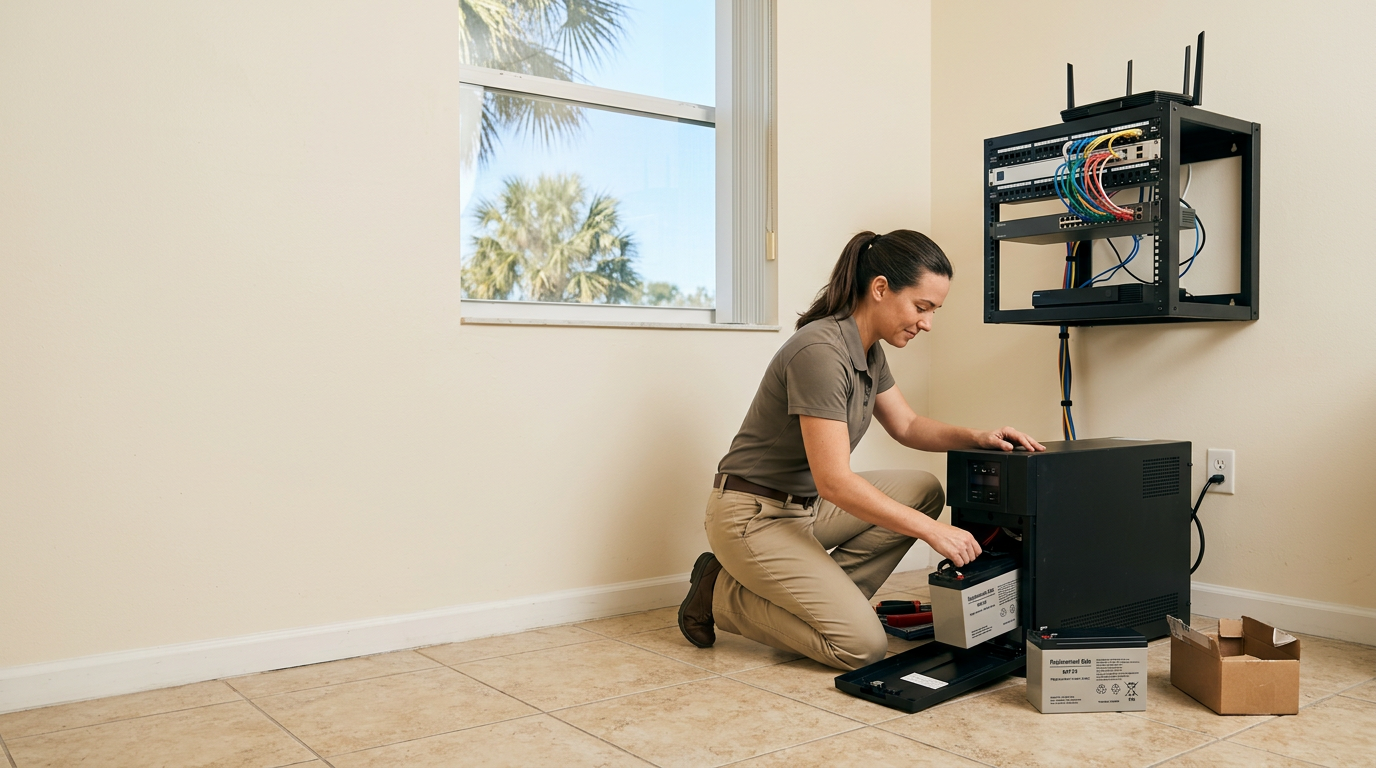
- Check the install date on every battery backup (UPS) unit, run its self-test, and replace batteries on the manufacturer's schedule.
- Put the whole chain on battery: internet modem, firewall, network switch, Wi-Fi access points and the phone system. A server on battery behind a dead switch is still offline.
- Set the server to shut down cleanly when the battery runs low, then test it by unplugging the battery backup from the wall on a quiet evening.
Batteries buy minutes, not days. For days, you need a generator or a plan to work from somewhere else. A standby generator means an electrician, a transfer switch, a fuel decision and whatever permits apply, so get the quote now. If you lease, ask your landlord what the building allows.
4. Add a second way online, and make the phones follow people#
A second internet connection only helps if it fails differently from the first. Choose a different carrier on a different technology, such as cable plus a cellular or fixed wireless router, and set the firewall to switch over on its own. Ask each carrier how service reaches your building. If both lines come in on the same poles, one fallen pole takes out both.
After a direct hit, everything local can be down for a while. The goal is to ride through the common outage, like a cut line or a neighborhood power loss, and to let people work from wherever has power.
For phones, a cloud business phone system with a mobile app can ring your main number on staff cell phones, wherever they are. Build a "storm mode" routing rule now, one that plays a closure message and sends callers to a named person's cell. Then test it from an outside line.
5. Update the paper plan: people, triggers and insurance#
Ready.gov's crisis communications guidance (opens in a new tab) says contact information "should be compiled in advance and be accessible during an incident," and that lists "should be updated regularly and secured." Refresh your staff, customer and vendor lists after your seasonal hiring settles. Keep one printed copy and one copy staff can open from a phone.
Three more pieces belong on paper:
- Pre-written messages. The same Ready.gov page notes messages "can be pre-scripted as templates with blanks to be filled in." Write the closing, delayed and reopening messages now.
- Decision triggers. Tie actions to the watch (48 hours out) and the warning (36 hours out). Name who decides to close, who powers down equipment and who confirms the last backup finished.
- Insurance. An NFIP flood policy goes into effect 30 days after your date of purchase (opens in a new tab), with a few exceptions, and NFIP commercial coverage for building and for contents "covers up to $500,000" each. Buying coverage when a storm appears in the forecast is usually too late. Ask your agent how computers, data recovery and lost income are covered. This is general information, not insurance or legal advice.
For the equipment photos and serial numbers an adjuster will want, see our 2026 hurricane season IT checklist for Southwest Florida.
Test your hurricane plan in the spring#
Ready.gov's advice is short: "Test the plan periodically to make sure that it works." (opens in a new tab) April is a good month. It leaves time to fix what fails before June 1.
Start with a one-hour tabletop exercise. Gather the people who would do the work, read a scenario aloud (a hurricane watch on Thursday, landfall Saturday, five days without power) and have each person say what they do next. CISA's Tabletop Exercise Packages (opens in a new tab) include natural disaster scenarios if you want a script. Our walkthrough of what breaks first when a storm forms makes a good scenario too.
Then run three real tests:
- Restore test. Bring back a full system from the out-of-region copy and time it.
- Power test. Unplug the battery backups from the wall on a quiet evening and confirm the network stays up and the server shuts down cleanly.
- Failover test. Unplug the main internet line, then call your main number from an outside phone.
Here is one way to spread the work across the off-season:
| When | What | Why then |
|---|---|---|
| Late November and December | Look back, rank the fixes, get quotes | The season is fresh in memory |
| December and January | Server moves, backup redesign, second internet line | Disruptive work before the busiest weeks |
| February and March | Battery replacements, phone routing, contact lists | Smaller jobs that fit around busy days |
| April | Tabletop exercise and the three real tests | Time left to fix what fails |
| May | Reprint the plan, confirm insurance dates | The season starts June 1 |
Frequently asked questions#
When does hurricane season end in Florida?#
The National Hurricane Center says the Atlantic hurricane season runs from June 1 to November 30 (opens in a new tab). It puts the peak at September 10, with most activity between mid-August and mid-October. For planning, treat December through May as your window for IT projects.
What should a business do after hurricane season ends?#
Write down what failed this season while it is fresh, then schedule the projects that cannot happen during a watch: moving servers out of the building, putting a backup copy outside the region, adding a second internet line, fixing battery backup and updating the written plan. Test all of it in the spring.
How far away should a Florida business keep its offsite backup?#
CISA's 3-2-1 backup guidance (opens in a new tab) does not set a distance. It only says one copy should be stored outside your home or business facility. For a Southwest Florida business, the practical answer is a region the same storm cannot reach, which usually means a cloud or data center region well away from Florida and the Gulf Coast.
Does flood insurance cover business computers?#
NFIP commercial flood insurance protects a business's building and equipment (opens in a new tab), with building and contents coverage of up to $500,000 each. New policies generally take effect 30 days after purchase, with a few exceptions. Coverage details vary, so confirm with your agent how computers, data recovery and lost income are handled. This is general information, not insurance advice.
How often should we test our disaster recovery plan?#
Ready.gov's IT disaster recovery guidance (opens in a new tab) says to test the plan periodically. A good rhythm for a small business is a full test once a year before June 1, plus a test after any big change such as a new server, a new phone system or an office move. Backup restores should be tested more often than that.
Book a continuity review before next June#
If you would rather not work through this list alone, book a continuity review with our Fort Myers office. We will go through where your data lives, how your backups restore and what fails when the power does, and help you put the fixes in order. Call 239-766-4882 or contact us to set a time.